Have you ever run into compatibility issues while setting up your smart home devices and wondered how to resolve them for a seamless experience? If so, you’re not alone. As smart technology becomes increasingly popular, understanding how to make these devices work together efficiently is key to maximizing their benefits. This guide will walk you through resolving compatibility problems and creating a more connected and enjoyable living environment.
Understanding Smart Home Technology
A smart home uses internet-connected devices to enable remote management and monitoring of systems and appliances. From lights and thermostats to security systems and kitchen appliances, smart technology can make your household more efficient and convenient.
Definition and Overview
Smart home devices communicate via the Internet or a local network to perform specific tasks under your command. These devices, often managed through smartphones or voice commands, contribute to a more automated and responsive home environment.
Why Smart Homes?
Embracing smart home technology offers numerous benefits, including energy efficiency, enhanced security, and improved convenience. These devices can help you save time and money while providing peace of mind.
Assessing Compatibility in Smart Home Devices
One of the most critical aspects of smart home living is ensuring that devices are compatible and can work together seamlessly. Understanding compatibility involves considering protocols, platforms, and brands.
Protocols and Standards
Smart home devices use different communication protocols such as Wi-Fi, Zigbee, Z-Wave, and Bluetooth. Each protocol has its unique advantages, meaning the selection should align with your needs. Wi-Fi offers high-speed data transfer, while Zigbee and Z-Wave ensure low power consumption and extended range.
Platforms and Hubs
Many smart devices require a central hub to operate effectively. These hubs connect and control devices, making it essential to ensure your chosen devices are compatible. Popular platforms such as Amazon Alexa, Google Home, and Apple HomeKit serve as hubs, providing a foundation to build an integrated system.
| Platforms | Devices Examples | Key Benefits |
|---|---|---|
| Amazon Alexa | Echo speakers, Philips Hue lights | Voice control, routines |
| Google Home | Nest devices, Chromecast | Google Assistant |
| Apple HomeKit | HomePod, Ecobee thermostats | Privacy focus |
Troubleshooting Compatibility Issues
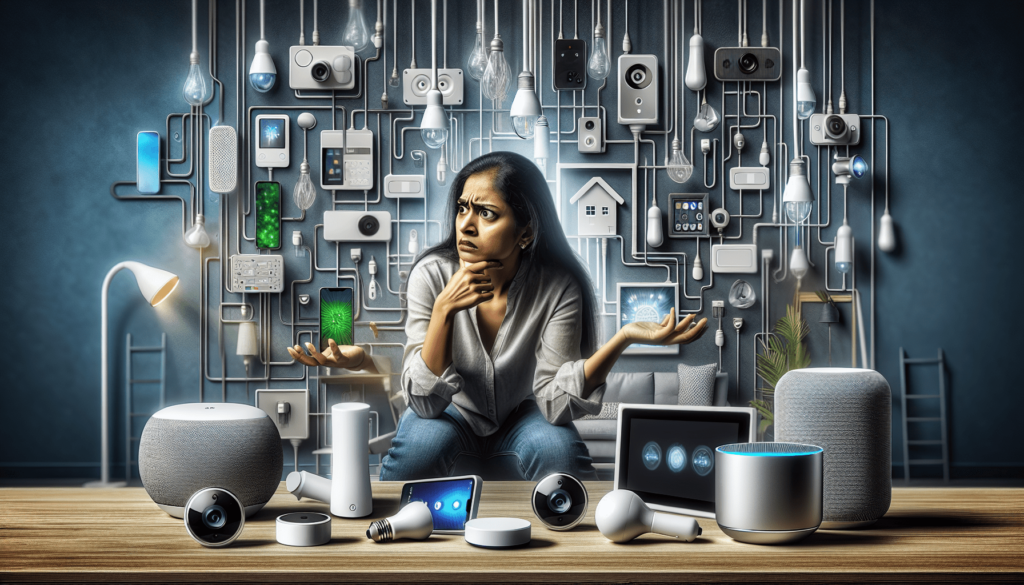
Encountering compatibility issues is common, but understanding how to address them helps in achieving the desired smart home setup.
Identifying the Problem
Start by identifying the specific issue. Is the device not connecting, or is it incompatible with the chosen hub? Reviewing the product documentation can shed light on specific compatibility requirements.
Solutions and Workarounds
If you find that a device is incompatible with your current setup, consider these solutions:
-
Updating Software and Apps: Ensure your device’s firmware and controlling app are up to date, as manufacturers often release updates to enhance compatibility.
-
Verify Network Connections: Ensure that devices are on the same network and are connected correctly. Sometimes, simply restarting your router and device resolves issues.
-
Consider Universal Hubs: If multiple devices are incompatible, consider using a universal hub like Samsung SmartThings, which supports a range of protocols and brands.
-
Connectivity Bridges: Manufacturers may offer connectivity bridges to link specific protocols to your existing network. For example, a Zigbee to Wi-Fi bridge can enable communication between the two.
Seeking Technical Support
When persistent issues arise, reaching out to customer support can provide solutions tailored to your device. Manufacturer forums and communities can also offer valuable insights from other users’ experiences.
Security and Privacy Considerations
While smart home technology provides convenience, it also introduces security concerns. Protecting your devices from unauthorized access is essential for maintaining a secure environment.
Potential Risks
Smart home devices are susceptible to hacking, especially if not properly secured. Risks include unauthorized access to your network or privacy breaches through unattended cameras and microphones.
Safety Features
Implementing safety features enhances the security of your smart devices. Enable two-factor authentication, use complex passwords, and regularly update your devices to minimize vulnerabilities.
Recommended Practices
- Secure Network: Ensure you are using a secure and strong Wi-Fi password.
- Regular Updates: Keep your devices’ firmware updated to adopt new security patches.
- Limit Permissions: Only grant necessary permissions to apps controlling your smart devices to minimize exposure.

Cost and Value Considerations
Investing in smart home technology involves initial costs, but understanding the value it adds can influence your decision.
Installation Costs and Savings
Installation costs vary depending on the complexity and number of devices. Some devices are plug-and-play, minimizing setup costs, while others may require professional installation. Consider potential savings from energy-efficient devices when evaluating costs.
Long-Term Return on Investment
Smart home devices can lead to long-term savings through reduced energy consumption and optimized resource management. For example, smart thermostats can lower your utility bills by adjusting settings based on occupancy.
Future Trends and Technology in Smart Homes
The smart home industry is continually evolving, with technology advancing rapidly to offer new functionalities and improvements.
Emerging Trends
-
AI Integration: Artificial intelligence enhances device responsiveness and personalization, creating more intuitive home environments.
-
Interoperability Solutions: Efforts such as the Matter protocol aim to unify different smart home ecosystems, making devices more compatible across brands and platforms.
-
Energy Efficiency: Advanced smart meters and renewable energy integrations are pushing towards more sustainable living.
Future-Proofing Your Smart Home
To ensure your smart home remains relevant, consider investing in versatile platforms that support third-party integrations and frequent improvements. This approach ensures your system can adapt to future innovations without requiring drastic changes.
Making Informed Smart Home Investments
Determining the right smart home setup involves evaluating your needs and aligning them with the technology available.
Personalized Recommendations
Evaluate which aspects of smart living most appeal to you. Are you focused on security, energy efficiency, or overall convenience? Tailoring your devices to your preferences maximizes the benefits and aligns with your lifestyle.
Budget Considerations
Determine a budget that accommodates desired features and potential future expansions. Balancing upfront costs with long-term savings helps ensure a satisfying investment.
Conclusion
By understanding smart home compatibility and troubleshooting common issues, you can create a seamless and efficient smart living environment. Focus on identifying compatibility issues, securing your devices, and staying informed about emerging technologies. With these strategies, you’ll be well-equipped to enjoy a connected, convenient, and future-ready home. Whether you’re a tech enthusiast or a newcomer, the journey to a smarter home is both rewarding and empowering.